


Overview
The security management tasks including create/remove roles,assign permission(s) to role,assign role(s) to user and manage user accounts. DotNetAge use permission base authorized that means an user could be in more then one roles and one role can be has many permissions this is call “Role permissions”.
The role permissions defined in applications,DotNetAge can discover all available permissions and list them in Roles manager control tab in DotNetAge start. In Roles management tab administrator can create / remove roles and assign permissions to the role.
Role manager
You can find the RoleManager in Console/Security tab.On the left of the Role Manager UI is list all roles in your running DotNetAge database and on the right side is the permissions list.
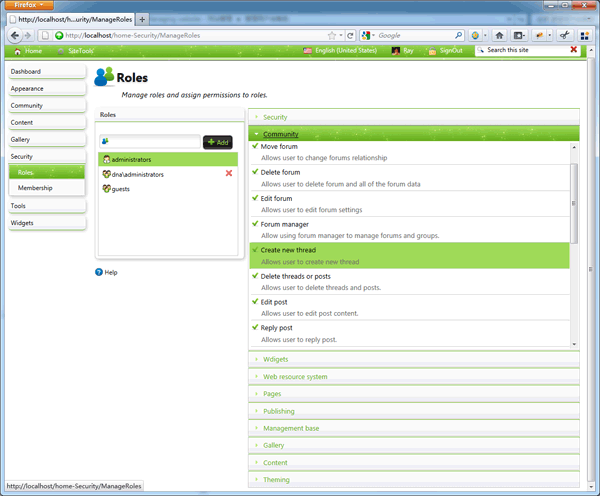
Manage roles
administrators and guests roles are reserved roles of DotNetAge,they will be created after DotNetAge setup completed. So they could not be renamed or deleted.You could input the new role name in Role input box and click “Add” button to create a new role.
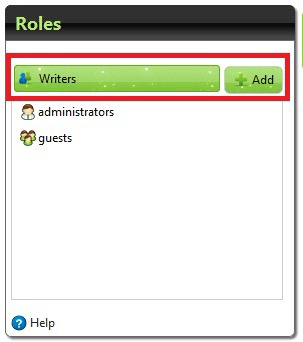
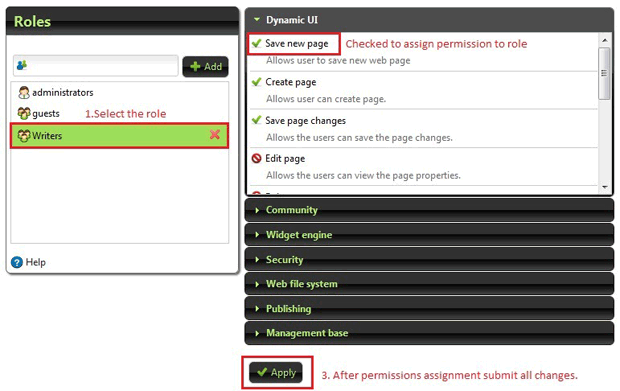
Assign permissions to role
Select the Role in role listbox RoleManager will list all permissions on the right side and you could checked the permission and assign to current selected role. After assignment click the “Apply” button to submit the result to server and save changes to database.
Membership manger
The “Accounts” tab is the Account manager. Account manager list all registered users in your DotNetAge, you could filtering , bend/unlock , send mail and assign roles to user(s).
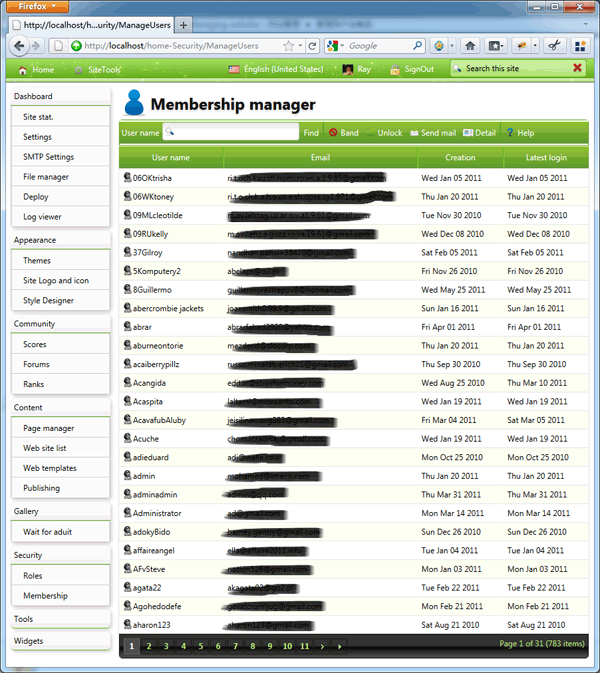
Bend / Unlock user
When the user bended he/her could not login the DotNetAge again.
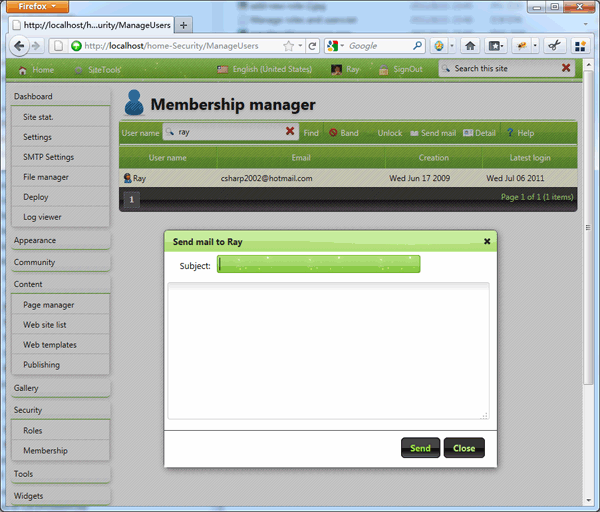
Send mail to user
The Account Manager offers the UI that could send a mail to selected user.
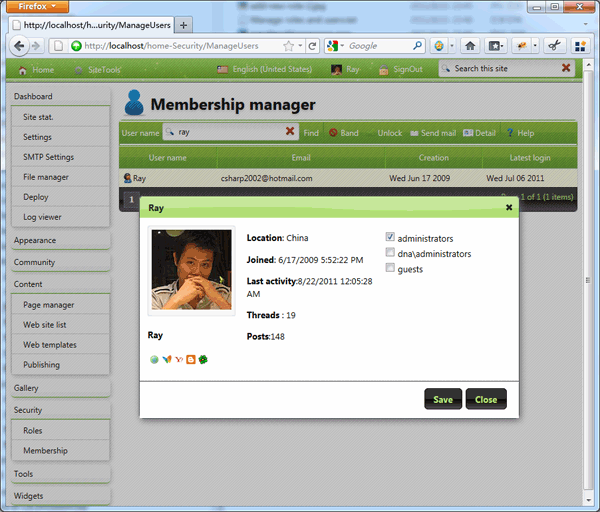
Assign user to roles
Click the “Detail” button will show the information and user roles of the selected user. Administrators could use the User detail dialog to assign user to user roles.
-
Average:5
-
Читает(1113)
-
Trackback(0)
-
Постоянная ссылка
Комментарии (0)