


Overview
Community is one of the two built-in DotNetAge application, it is different from the publishing system at each site will only separate publication, exist only in the top site.
Administrators can find the forum manager in "Community->Forums" in top site console.
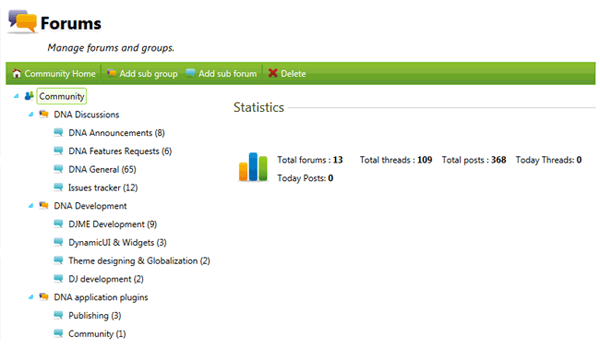
The forum manager can:
- Create/Edit the forums and forum groups
- Move the forums/groups by drag and drop.
Forum Group
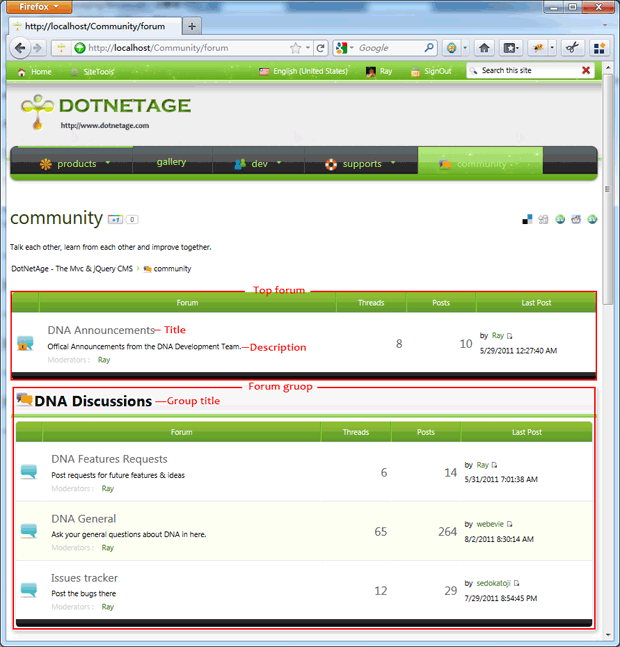
In DotNetAge forum group is used to grouping forums. The forums in group will show in a forum group panel.
Click the "Add forum group" button on the toolbar can create a new forum group:
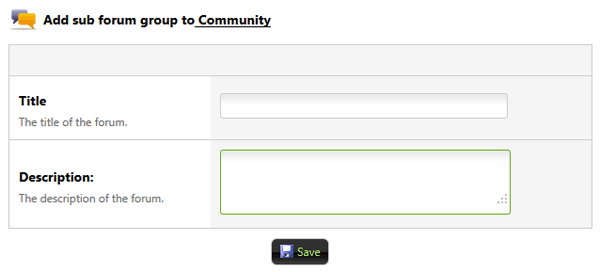
- Title - The forum group title text.
- Description - Describe text about this group.
Forum
Click the "Add sub forum" toolbar button will show:
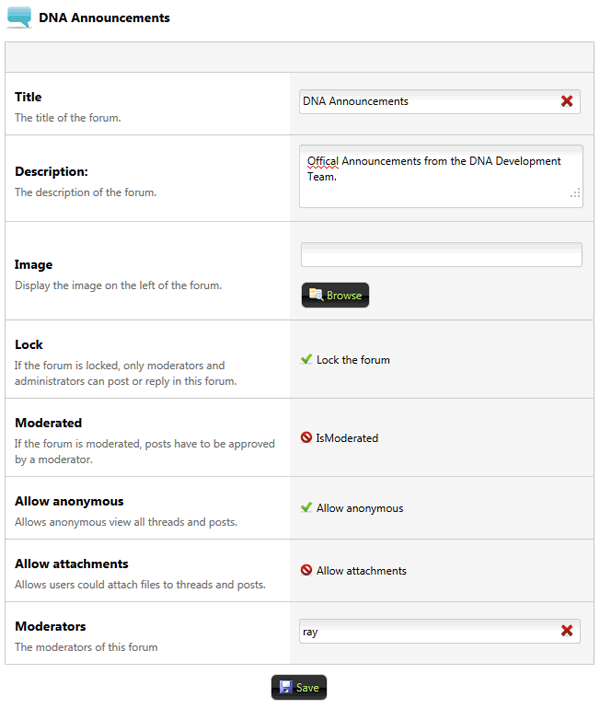
- Title - The display title text of the forum.
- Description - What topic would talk about in the forum.
- Image - Display the image on the left of the forum in the forum list.
- Lock - If the forum is locked, only moderators and administrators can post or reply in this forum.
- Moderated - If the forum is moderated, posts have to be approved by a moderator.
- Allow anonymous - Allows anonymous view all threads and posts.
- Allow attachments - Allows users could attach files to threads and posts.
- Moderators - The moderator user names list.
Rank
Rank is calculated in accordance with the number of user's posts automatically. Install the "Community" web template would create a set of default ranks.
A rank including title, image, minimum posts count and "IsStart" identification. If "IsStart" not set DotNetAge will use the minimum "Minimum posts" value as start rank.
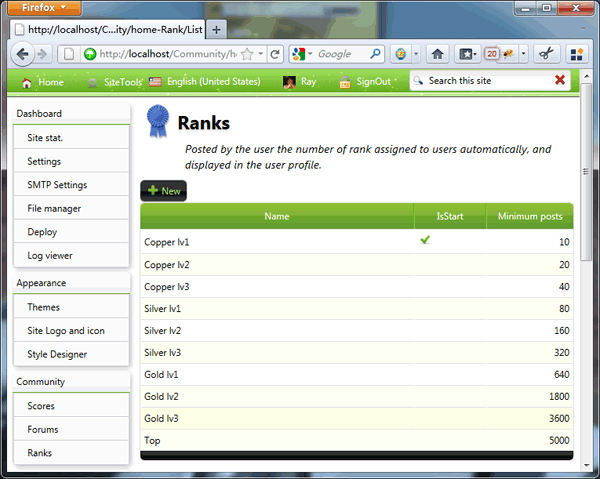
The rank will show blow the user avatar.
Notes
- If you are not use the "Community" web template to deploy the DotNetAge top site, DotNetAge will not create the community home page and rank data. But you can still use the community, after create forums and groups click the "Community home" toolbar button will create a new community home page.
- If the forums or groups is deleted, the threads and posts will be deleted at the same time.
-
Average:1
-
Читает(1548)
-
Trackback(0)
-
Постоянная ссылка
Комментарии (1)